To my disappointment, Lego marketers knew what they were doing

As a kid, I was a huge Legos fan.  I would spend hours building spaceships, cars, buildings, airplanes, and anything else I could imagine.  Back in those days, each set of Legos came with instructions for three or four different creations.  After you built one, you took it apart and built another, and pretty soon you had mixed the pieces with the rest of your sets to build your own designs.

In an effort to stay competitive, Lego has shifted their products to focus more on tie-ins with major brands like Star Wars and Harry Potter.  And the sets were no longer geared towards multiple creations – each one comes with the pieces and instructions for a single item, never to be torn down and mixed up.

I understand the trend, but I was somewhat bothered a year or two ago when Lego rolled out a new line called “Lego Friends”.  These were lego sets specifically targeted towards girls.  They featured bright pink packaging and allowed kids to build picnic stands and swimming pools.  What irked me about it was why they felt the need to create them in the first place.  Legos were supposed to be about building using your imagination, and this should work for boys and girls.  Why did girls need their own special sets?

Now that my kids are getting old enough, I have naturally tried to encourage them to build with Legos too.  My younger son is just two and a half and only starting to show the dexterity and patience to build, but my older daughter Ayelet is five and should be just the right age.  I’ve tried a few times with her, and while she participated, I could see that the spark hadn’t yet been lit.

A couple of weeks ago I had a few hours at home with Ayelet, so I decided to stop in at Target and see if I could find an activity for her.  I steered her past the pink doll aisle and went down the Lego aisle to see if I could interest her.  She looked at the various trucks and vehicles and then insisted we go back to the doll aisle to how me the one she wanted.

To my horror, she seized a Lego Friends box.  It was a Disney tie-in featuring Cinderella and her carriage.  I could see that she was really excited about it, so I opened myself to the experience, and we bought it.

Sure enough, she loved it:
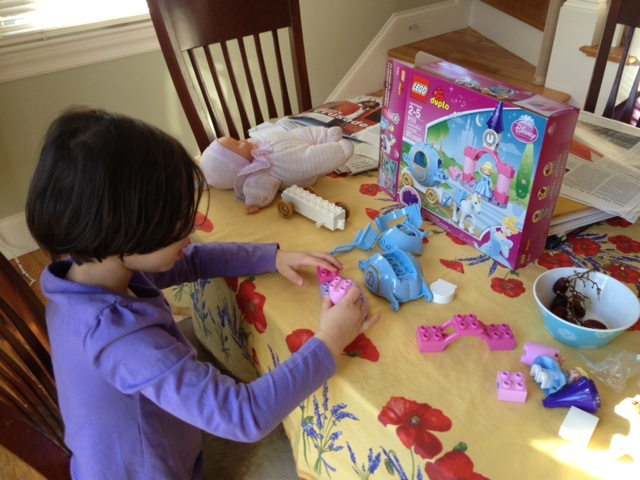
Ayelet building her Lego Friends Cinderella set

Ayelet building her Lego Friends Cinderella set

Not only did she enjoy building it, she proceeded to play with it for the next few days.  Emboldened by this interest, a few nights later I asked her if she wanted to build something else out of Legos, and she excitedly said yes.  I got out a larger package of Legos from one of my previous attempts, and she and her brother spent the next 45 minutes building boats and cars:
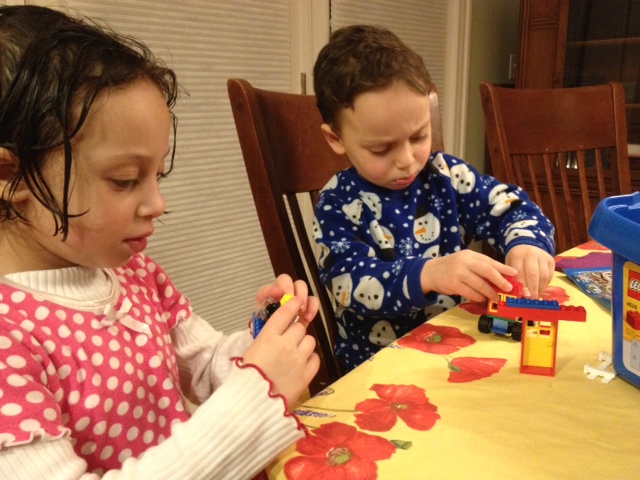
Both kids get in on the act

Both kids get in on the act

When an intense blizzard hit the Boston area, I decided to buy a Lego set in the supermarket toy aisle as a possible activity.  They didn’t have Lego Friends, but I chose a nice dump truck.  Both kids took turns building it with me (my daughter did the fine detail work on the front, and my son did the larger blocks on the back).

The set particularly captured my son’s imagination, who spent hours loading and unloading trash.  The truck was a little fragile for someone under three, so I needed to repair it quite often, but overall it was a hit.
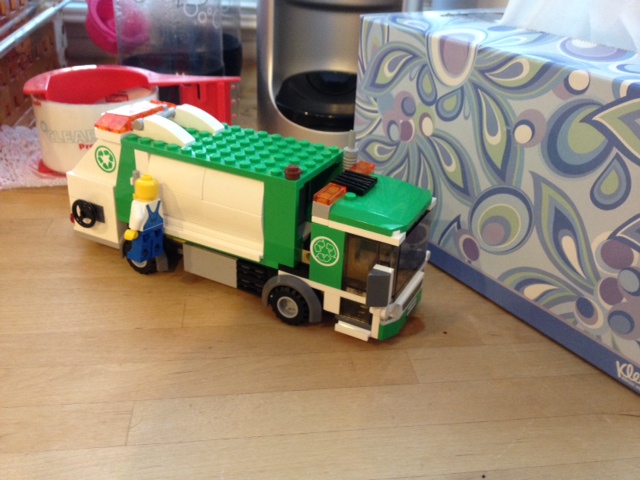
This set kept the kids occupied for two hours during the blizzard.

This set kept the kids occupied for two hours during the blizzard.

Up until that Lego Friends set, my daughter had very little interest in building with them, but now she is enjoys it.  For her birthday party’s goody bags, I found some Lego Friends mini-bag sets to put in them for a $1.50 each at Target.  She was excited to put together her picnic lunch set from her own bag.
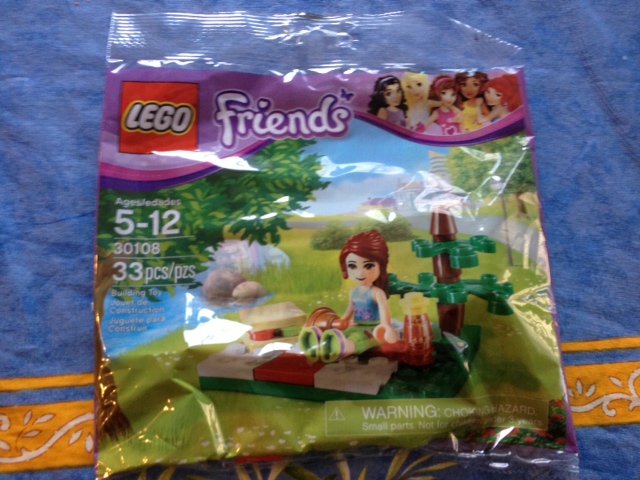
A goody bag filler

A goody bag filler

I wish Lego Friends didn’t need to have existed, but clearly the marketers understood something that I missed.  Trucks and airplanes might get me excited to build something, but that doesn’t work for all kids.

When I dropped my daughter off at school this morning, she had to write her name under the construction activity she wanted to try:
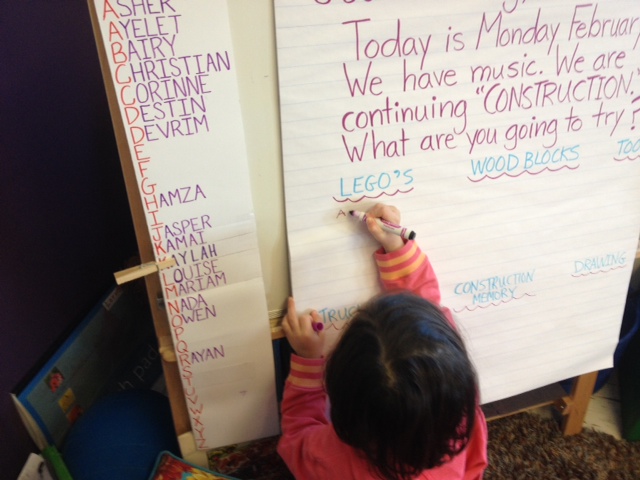
Ayelet choose Legos for her construction activity, all on her own

Ayelet choose Legos for her construction activity, all on her own

All on her own, she chose “Legos”.

Posted in Uncategorized | Tagged , , , | 3 Comments

Underwriting on NPR finally pays off for Ally Bank – I’m dumping E-Trade Bank and opening an account

Since today is Valentine’s Day, it’s appropriate that I am making a big relationship change – I’m dumping my old bank and opening an account with Ally.

Ally has been chasing me for years now.  I’m a huge NPR podcast listener, and Ally sponsors many of my favorite shows, including Planet Money.  I must have heard the words “This podcast is sponsored by Ally Bank” a couple of thousand times now.  Their daily plugs kept them in the front of my mind, and I saw favorable reviews of Ally in various news sites.

Ally is an full-service online bank.  There are no physical branches or ATMs, so you just use whatever ATM you want – they automatically reimburse the fees the other banks charge.  You get real checks and online bill payments, and you can deposit checks electronically.  You never need to go to a branch or find your bank’s ATM.  Best of all, no fees.

Before now, I’ve never felt the need to switch, because this is exactly what my current bank provides.  For the last six years, I have been using E-Trade Bank, which is also virtual.  When I switched to them six years ago, I was attracted for all of their online features, but they were also offering some of the best interest rates available (this was pre-Great Recession, of course).  They were sending a strong message of “we are a virtual bank, and we want your business by offering you the best rates and the best services”.

For many years I was happy with E-Trade bank, but as the Great Recession took hold, I saw that great interest rate start to fall… and fall… and fall… I did notice that Ally Bank kept showing up in various news articles as having high customer satisfaction and offering one of the best interest rates available, and ever time I would hear them on NPR, I would think to myself, “gee, they seem to be offering good interest rates.  What is going on at E-Trade?”  Still, I wasn’t ready to abandon my E-Trade relationship.  I knew the financial markets were tough, and switching banks is a royal pain.  I remained committed to my bank.

Until a month or two ago, when E-Trade basically spit in my face.

While balancing my checkbook, I noticed that my savings account paid less interest that month than my checking account did, even though it had a higher balance.  What?  As I looked closer, while the checking account interest rate had fallen to tiny amount  (0.05%), the savings account interest rate was actually even lower at 0.01%.  In other words, it was zero.

I was convinced this had to be a mistake.  I understood times were tough, but there is no way that a checking account could have a higher interest rate than a savings account.  I sent some emails and later had a phone conversation with an E-Trade representative, and they confirmed that there was no mistake.  The rates for savings really had dropped below checking.

I’m not sure what kind of business E-Trade is running, but this is just insulting.  They suggested that I explore some other account types that may have higher returns, but the damage is already done.  Checking and Savings accounts should be the bread and butter of banking.  If the savings account is actually a worse place to store money than the checking account, something is seriously wrong.

I looked at the current interest rates at Ally, and they are paying 0.9%.  In other words, they are paying 90x the interest on a savings account that E-Trade is.

That’s it, I’m done.  Switching bank accounts is a pain in the ass, but Ally clearly wants my business.  It’s time for a new banking relationship.  Thanks for sponsoring my podcasts, all these years – it finally paid off.

Posted in Uncategorized | Tagged , , | Leave a comment

Shortcut: Toddler won’t wear mittens? Put socks on his hands

Everyone knows the phrase “you can lead a horse to water, but you can’t make it drink.”

That pretty much sums up my son’s relationship to gloves.  He absolutely refuses to wear them.  We’ve tried mittens, and we’ve tried gloves, but they never stay on for long.  It always starts with a struggle to maneuver his fingers into the the appropriate hole, and just when we succeed, he decides that he doesn’t like it and yanks them off.  Pretty quickly we give up and let him go barehanded.

Of course, we still insist that he walk around with his mittens hanging from the sleeves of his coat by clips.  In theory, this way he could always change his mind and put them on, but really it’s just so that people who look at him don’t assume we are abusing our son by sending out in the cold without gloves.

We found ourselves fighting this battle once again this past weekend when I was taking the kids to our synagogue.  Normally I would just let him ride in the stroller without anything on his hands while (unsuccessfully) encouraging him to keep his hands under a blanket.  However, before we even got out the door, the kids started squabbling about who was going to sit in the front of the stroller.  I just didn’t feel like dealing with their arguing, so I suggested they ride their scooters instead.

Both of our kids love their scooters – my son loves his so much that he has worn the toe completely off of his right shoe, which he uses as a brake.

Rafael uses the toe of his foot to brake, which has worn one shoe out prematurely

Rafael uses the toe of his foot to brake, which has worn out one shoe prematurely

The scooters have been mostly put away since winter arrived, but this day was warmer than usual.  I decided it was warm enough to take them out, but it was still windy, so I insisted that they had to wear gloves if they wanted to ride.

My son agreed to this, but we spent the next ten minutes trying to get various mittens or gloves onto his hands.  We tried thin ones that were easy to guide over his fingers, and we tried thick mittens that only required getting the thumb into the hole, but each time we succeeded in getting them on, he got frustrated and insisted on pulling them off.

Then, my wife had a brilliant idea… socks!

We took a pair of socks and slid them over his hands.  Since there were no fingers to guide into holes, they slipped right on immediately.  They were thin enough to give his thumb enough range of motion to grip the scooter handlebar, but they would still protect his hands from the cold wind.

They certainly don’t provide the warmth of mittens or the range of motion of gloves, but they are far better than sending him out with exposed skin on his hands.  And they gave him enough range of motion to ride his scooter without having to mediate a battle over who sat where in the stroller.

He kept the socks on the entire way, riding his scooter happily.  It may look funny, and I still insist that he keep his mittens hanging from his coat sleeves so that people don’t think I’m too cheap to buy him proper mittens, but I’ll go with whatever works.


Posted in Uncategorized | Tagged , , | 2 Comments

Getting Apple earbuds to stay in your ears

I am intensely curious… just who did Apple design earbuds for?

Like most Apple products, they are a combination of minimalist beauty and excellent functionality, but as far as I can tell, they weren’t designed for humans.  Or at least not humans who live on Earth.  You see, here on Earth, we have this force called gravity that pulls things down – this affects anything with mass, even those lightweight earbuds.

Not to worry, if you jam them hard enough in your ear, you can create enough tension to hold them in place.  And that works great until you stand up and try to walk somewhere with them.  There happen to be are these wires that come out of the earbuds to connect them down to your music playing device.  Not only do they add an additional gravitational tug,  but they allow every vibration or jostle as you walk to help pull the earbuds out of their snug fit, at which point they fall to the ground.

I don’t think I have managed to walk more than 10 feet without having to shove an earbud back in my ear.

I was briefly excited when Apple rolled out their new “earpods”, which provided both superior sound quality and an enhanced shape to more comfortably fit in your ear.

They

They “broadcast” music into your ear, and the shape is supposed to help them fit better.

Sure, the new earpod shape is technically better than the old one.  Now I can probably make it 15 feet before having to shove them back in, which I guess is a big improvement over 10 feet, but still not much use.

I see people walking down the street wearing earbuds or earpods, and I’m incredulous.  How do they keep them in their ears?  Are my ears so unusual?  Why can’t Apple just make them with hooks?  I am certainly guilty of choosing form over function at times, but having your headphones stay on your ears is a pretty essential feature.

Well, I have finally found a solution – EARBUDi.  They are hooks that simply snap onto Apple earpods (they have an earbud version as well) and loop over the outside of your ear.

UPDATED 2015: I’ve actually switched to recommending Earhoox instead of Earbudi. Read more about why Earhoox work better here.

They just attach to the earpods (from the earbudi.com website)

They just attach to the earpods (from the earbudi.com website)

The hooks counteract the jostling from the wires that causes earpods to pop out, and they are really quite comfortable.  You no longer have to jam the earpods in so hard, and they still stay in even if you are physically active.  They’ve become my preferred way to listen to podcasts while walking or make a phone call on my iPhone while keeping my hands free.

They cost $10 on Amazon, so they represent a non-trivial added cost over the earpods’ $30 price tag.

Of course, the alternative would be to buy a separate set of headphones that already have over-the-ear hooks, but these have the benefit of allowing you to continue to use the microphone and music controls that come built into the Apple headphones.  Okay, I’m sure that someone sells over-the-ear headphones that have Apple compatible music controls and a microphone, but you probably already own the Apple headphones anyways.

If someone has another trick for getting earpods to stay in that doesn’t involve a similar attachment or plastic surgery, please let me know – I’m all ears.

Posted in Uncategorized | Tagged , , | 48 Comments

Being a packrat finally pays off after 16 years

I admit it… I’m not very good at throwing things away.  Ever since I left college 16 years ago, I have a hard time parting with anything that I think might be useful again some day.

If you walk around my basement, you will find a collection of items that I am sure will be needed eventually.  There is the bathroom fan we bought 8 years ago just so that we could use its cover to replace a missing one in our bathroom when we moved into our house (it would be silly to buy another fan if one of our bathroom fans breaks).  There is the wireless laserprinter that hasn’t been used in a year (it still works perfectly well – someone must have a use for it!).  There are the computer desktop speakers that haven’t been needed since I switched to a laptop (I have no plans to buy any more desktop computers, and all laptops have built-in speakers, but in theory it could be useful for something).

My wife does not have this problem.  If we don’t have a clear reason why we need to keep something around, she is more than ready to get rid of it.  Everything should have its place, and if it isn’t needed, it’s place is not inside our house.  The items that remain are the ones that are either out of sight (like the 16 years of receipts I have been keeping since college in the attic crawlspace – I’m convinced they will be great source material for someone’s Ph.D. thesis in 50 years) or well contained (speakers sit in a box on the shelf).

We still have periodic debates over the need for keeping that printer.  Even I have to admit that the fact we still haven’t found a taker for it does not bode well.

Then, on Friday, I received the following text message from my wife:

Food processor just went up in smoke for no apparent reason

Our cuisinart must have had some sort of internal short and died in the middle of her cooking.

There was puff of smoke, and then the food processor ceased to function.

There was puff of smoke, and then the food processor ceased to function.

To understand why this text was so exciting, you need to jump back a year and a half to when we bought this food processor.  We received a nice 14″ cuisinart when we got married, and after 13 years the bowl broke.  At the time, I looked into just purchasing a replacement bowl, but I discovered that it was going to cost about 75% of the cost of buying a brand-new food processor.  Even though our motor still worked, it was old, so I opted for buying a whole new unit.

This then led to the inevitable discussion of what to do with the old motor.  We had a brand new cuisinart, but the packrat in me had a hard time just throwing the old one away.  It still worked, even though it no longer had a functional bowl.

It lived in the basement for a few months, and then my wife uncovered it again and asked why we still needed to keep it around.  After some soul searching, I decided that if we put it out with the trash but placed it next to the garbage barrel, surely some junk collector would come along and grab it.  They would find a way to make it useful rather than sending it to the landfill.

As it so happened, trash collection was a rainy day, so I insisted we wait a week to put it out.  It ended up getting stuck on a shelf in the basement and ignored…

…until now.  When my wife’s text message about the broken food processor came in, I called her and asked her to check in the basement to see if we still had the old one.  Sure enough, it was still there on the shelf.  She plugged it in, and it worked!

The original base we received when we got married in 1998 still works

The original base we received when we got married in 1998 still works

So thankfully, I won’t have to go buy another new food processor this weekend.

Clearly, my packrat tendencies are worthwhile.  It’s worth keeping all that junk useful stuff.  I’m sure we’ll eventually need that bathroom fan.

Does anyone need a wireless laserprinter?  It works great!

Posted in Uncategorized | Tagged , , , | Leave a comment

Simplify tracking shared family expenses with a Google Doc

We are lucky enough to live near lots of family.  This means that we always have someone to turn to if we need an emergency babysitter or want to borrow an extra mattress.  We also find that we tend to incur lots of shared expenses, particularly with my sister-in-law and her family, who live just a few miles away.

We’ll pick up items for each other at the store (“You’re at Costco? Would you mind grabbing me a box of baby wipes?”) or splitting the cost of a gift (“Let’s get our father a bottle of the Framboise he likes for his birthday”) or purchasing items for each other’s children (“I’m in the store looking at the board game my daughter wants for her birthday. Should I buy it for you now so you can give it to her as a gift?”).

This flexibility is undoubtedly convenient, but trying to settle the accounts was always murky.  “The bowl you bought me was $40, but I paid $100 for our shared gift certificate which comes to $50 each, so that’s more or less even.”  A new shared expense would arrive, and we suddenly could no longer remember whether a purchase from a few weeks ago had already been covered in some previous “settlement”.  Or, one of us would write the other a check only to find three days later a new expense that required another check for a similar amount to be written in the other direction.

A couple of years ago, I convinced my sister-in-law that we should do away with this “in our heads” system and set up a Google Doc to track costs.

Each time a family purchases something, they enter it into the spreadsheet, along with whether the expense is shared (both parties are expected to contribute half of it) or one-way (one party bought it for the other with the expectation of being paid back).

Each family enters expenses into their column and marks whether it is a shared cost

Each family enters expenses into their column and marks whether it is a shared cost

The spreadsheet then keeps a running tally of who has spent how much, and which family is owed which amount:

The shared and unshared expenses are automatically totaled and subtracted to indicate how much one family owes another

The shared and unshared expenses are automatically totaled and subtracted to indicate how much one family owes another

If the amount owed by one family crosses $100, they will actually go ahead and cut the other family a check, but in the two-and-a-half years we have been using this system, we have only needed to do it a handful of times.  Costs really do even out in the end.

The beauty though is that the spreadsheet takes all of the guesswork, fuzzy math, and poor memories out of the equation.  It’s clear, it’s fair, and it’s easy to use.

Another holiday season just drew to an end, and lots of new entries went into the spreadsheet, but no actual money has needed to change hands.  And not having to sort out all of the receipts is priceless.


Posted in Uncategorized | Tagged , , , | 1 Comment

A child’s menorah should not be flammable

Well, really no menorah should be flammable, but that’s besides the point.

A week ago, my four-year-old daughter proudly brought home a menorah (or more correctly, hanukkiah) she had made at the Jewish after-school program she attends a few days a week.

As soon, as I saw it, my heart sank.  It was made out of wood.

A tree branch cut in half with holes drilled for the candles

A tree branch cut in half with holes drilled for the candles

Someone had taken a tree branch and cut it in half, and then had the kids paint it.  They then drilled holes for the candles.  A note from the school explained:

…the Chanukiot which the kids have been making, are inspired by a drawing from one of the three year olds, who drew a menorah covered in leaves and flowers. Of course, the design of the original Menorah in the temple was an evocation of a tree of some sort, and so we thought ‘why not create chanukiot from branches’. We hope you enjoy them – the kids have done some very beautiful work on them.

“Why not?”  Hmm, I can think of one or two reasons…

My mind immediately raced back to a family incident from when I was six or seven.  At my own hebrew school program, all the kids made Shabbat candle sticks and decorated them.  I proudly brought mine home and insisted that my parents use them that Shabbat.

Did I mention that the candlesticks were made out of styrofoam?

I don’t know if my parents just weren’t thinking, or if they didn’t have the heart to tell me I couldn’t use them, so use them we did.  We lit big, thick shabbat candles that burn for hours, so the candles were still going when we went to bed.

At some point, the candles burned all the way down to the styrofoam base, at which point they caught fire.  They then proceeded burn into the table.  This was before strict smoke detector regulations were put in place, but the smell of smoke woke my parents up, and they averted a disaster.  They prevented the house from burning down, but not before a nice five inch diameter burn mark had been etched into the dining room table.

For years afterwards, we still used that table.  Often, a trivet or other centerpiece was used to cover the burn mark.  It still sits in my mother’s sewing room.

So, when I saw my daughter’s wooden hanukkiah, I was instantly nervous.  We had a nice, metal hanukkiah for her to use, but she of course insisted that we use the wooden one as well and light both of them.  She was so proud of it and so excited to use it, I just didn’t have the heart to tell her no.  With memories of my childhood and against my better judgement, I relented.  Now I know how my parents felt.

For the kids’ hanukkiot, we were using the cheap multicolored candles sold in all the stores which have the benefit of burning down quickly.  I watched them closely, and the first few nights went without incident.

Tonight, we weren’t so lucky.  The candles had melted onto the wood, and soon we had a nice little fire burning at one end.

The two middle candles have melted down, and now the wood is burning

The two middle candles have melted down, and now the wood is burning

After documenting with a picture for posterity, I blew the candles out.  We happened to be skyping with my parents so that they could enjoy watching the kids light, so they got to particularly enjoy this repeat of old history.

Fortunately, my daughter was not traumatized by having her candles blown out.  Hopefully tomorrow night she will agree to just a single hanukkiah.

One more thing… as if this ritual wasn’t already dangerous enough, naturally my two-year-old son wanted to light his hanukkiah as well.

We tried to help him, but he insisted on doing it “…by…my…self”!  My kids are extremely dextrous, and I was pretty confident that he would be able to do it.

Standing inches away, gritting my teeth, I handed him the candle and helped him say the blessing as he lit each candle.

Five hanukkiot for four peole

No one was harmed in the production of this photograph

Sure enough, he did flawlessly.

Even for me, that took guts.

Posted in Uncategorized | Tagged , , , | 1 Comment

Solved: IE encounters ERROR_INTERNET_INCORRECT_HANDLE_STATE when opening a popup window

One of our engineers asked me to take a look at a bizarre problem in an application.  When accessing the application using IE8, they would click a link that opens a popup window.  Rather than the popup window loading, the user would encounter a generic “Internet Explorer cannot display the webpage”, with the unhelpful “Diagnose Connection Problems” button.

The site was definitely up, but this popup window was behaving as if it wasn’t available.

We captured an HttpWatch of the interaction to see exactly what was happening under the covers, and the results were even stranger.  The browser was encountering an “ERROR_INTERNET_INCORRECT_HANDLE_STATE” condition.  I hadn’t heard of this one, and running some Google searches showed that this was some low-level issues in connection management.  How could our site cause that?

After troubleshooting for a while, I decided as an experiment to disable the IE8 process model and put it back in IE7 process mode.  With IE8, Microsoft added some sophisticated multi-process logic where different tabs or windows were handled by separate IE processes, and their session state was supposed to be merged.  I’ve seen some funky bugs in this area before, so I have often found it helpful to see if disabling it has an effect.

I added the TabProcGrowth registry key and tried again.  This time, sure enough, the page loaded into the popup window just fine.  This wasn’t a solution, but it was a clue that something was going wrong with IE’s attempts to juggle two underlying processes.

The underlying mechanism that IE uses when deciding whether to spawn off separate windows is hard to understand, but I decided to look more closely at how this window was being opened to see if there was anything unusual that might explain the bug.

Sure enough, there was something strange.  Rather than opening a popup window with a link to the subsequent page, the window was being opened with no url at all, and then a form was being submitted with the popup as a target:

window.open('', 'childwindow', popupParameters);
document.forms[0].target = 'childwindow';
document.forms[0].submit();

Definitely unusual!  I theorized that when this no-url popup window was being opened, IE was creating a separate process for it.  Then, when a new page was posted into it, something went wrong with session merging logic when it tried to reconnect back to the main site’s process, and the whole thing ran off the rails, leading to the ERROR_INTERNET_INCORRECT_HANDLE_STATE error.

We changed the window.open call to provide a valid stub page (i.e. blank.htm) that was hosted on the site itself and tried again.  Sure enough, the window loaded up fine.

My assumption is that because the window was now loading with a normal link, it either did not need to spawn off another process, or else it was able to avoid some bug in the session merging process.

Anyways, a very bizarre problem.  I’m posting here, since the existing results of a search for ERROR_INTERNET_INCORRECT_HANDLE_STATE don’t turn much of anything useful in this regard.


Posted in Uncategorized | Tagged , , | 3 Comments

Word to the wise: pick a child’s lovey based on your ability to see it in the dark

Like all good parents, we started manipulating our children when they were just newborns.

For each of our kids, we introduced them to a lovey when they were just a few months old.  They became so used to having these small plush toys with them when they sleep that they automatically become both a comfort and a “time to go to sleep” signal.  It led to smoother bed times.

This isn’t new.  When I was a little boy, I was firmly attached to my Le Mutt stuffed dog.  However, manufacturers have refined the technique with specially designed loveys.  These are approximately 12″ squares of blanked with a small animal head in one corner, perfect for a child to nuzzle against their cheek (but too small to present a choking hazard).

The downside of a lovey is that the child can be somewhat bereft if the toy cannot be found.  It becomes part of their sleeping routine, and they aren’t used to falling asleep without it.  I always feel a little sad when I encounter a lovely lost on the sidewalk somewhere, imaging the poor kid (and poor parents) who have to deal with its absence.

Not to worry, manufacturers have a solution for this too – backups lovies.  Angel Dear in fact sells bundles of loveys under the “a pair and a spare” branding, allowing you to have one at home, one at daycare (or the car, or wherever) and a backup so that they can be swapped out and washed.

Clearly, a lot of thought has gone into these.  But there is still more to be done…

At 2am this morning, I stumbled into my son’s room after he started crying “Monkey!!!” Rafael’s monkey lovey had been mixed up in his sheets and when he woke, and he couldn’t find it.  He started calling for me, and it took me a minute of fumbling in the blankets before I uncovered it.

More attention needs to be paid to the coloring.  They need to be visible in the dark.

The problem is that the monkey’s natural camouflage allows it to fade into the shadows of a dark blanket.  There is a bright spot on the monkey’s nose and chest, but depending on how it’s lying, this can be obscured:

I can’t tell you how many times we have lost that monkey in the middle of the night.  He wanders into our room, and then we carry him back to bed, only to discover the monkey is missing.  After a search in the bed, we have to retrace our steps, squinting at all the shadows until we find where he dropped it along the way.

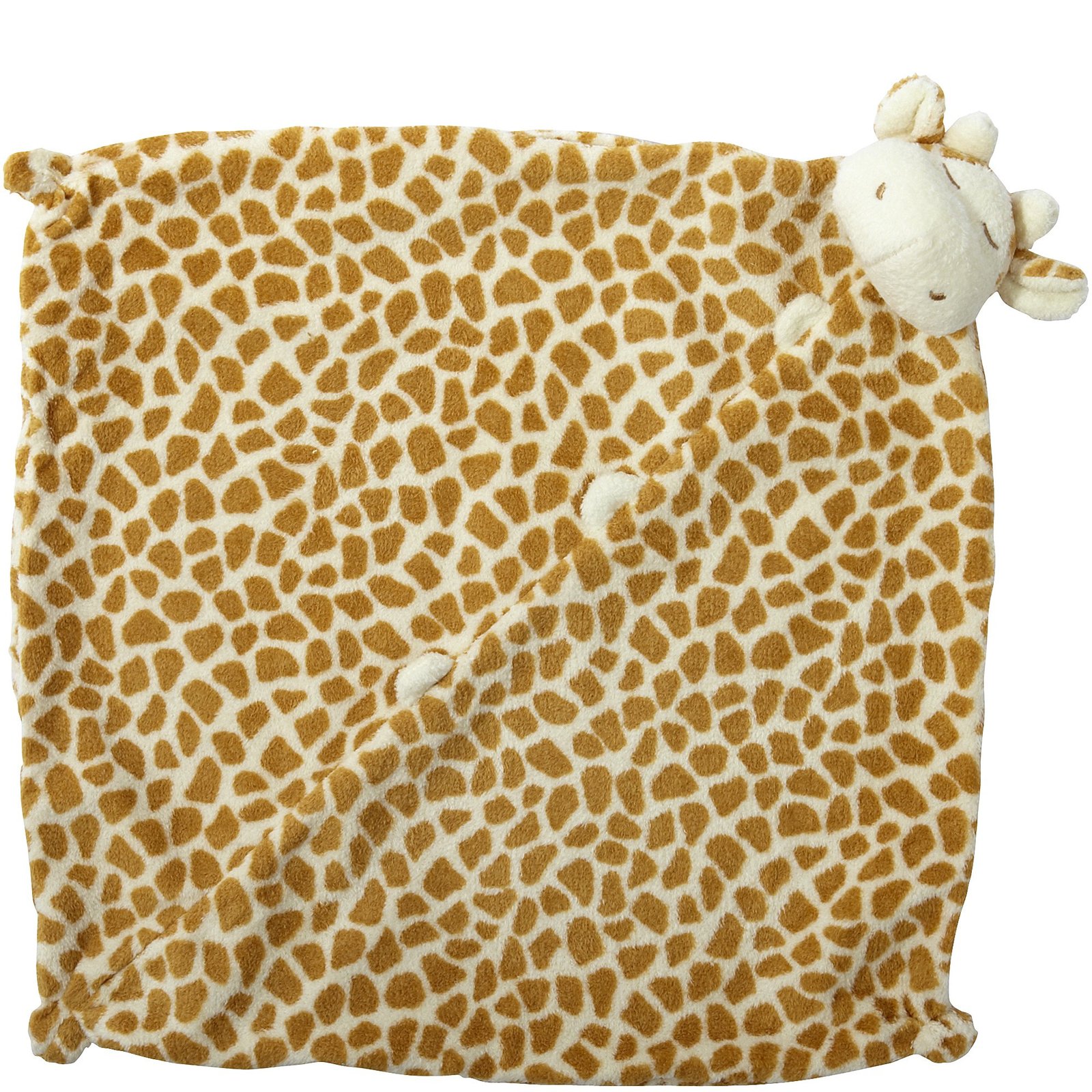
We don’t have this problem with my daughter’s lovey.  She has a giraffe, and it’s distinctive speckled light and dark pattern makes it easy to spot, even in low light conditions:

The giraffe uses a different camouflage technique.  It’s design is what is known as “disruptive camouflage”, where the goal is not to hide the object itself from view, but rather to disorient the observer as to the direction and position of the object.  The technique was actually used in World War I to make naval ships harder to hit with torpedoes, as recently covered in an excellent 99% Invisible podcast.

So, if you are considering a lovey for your child, I encourage you to pick a lovey that is easy to spot in the middle of the night.  Choose from these animals with disruptive camouflage:

  • Zebras
  • Tigers
  • Spotted dogs (like dalmations)
  • Leopards
  • Cows
  • And, of course, giraffes

The principle goes beyond just lovies. After stubbing my toe a hundred times in the middle of the night on a wooden step stool for the kids in our bathroom, I replaced it with a plastic one.  My theory was that it would hurt less, but ironically, I don’t bump into it at all.  It’s white with blue bumps, and it now stands out enough in the dark for me to see it and step around it.

If I were really an entrepreneur, I would start my own line of visible-in-the-dark baby products.  Wipes, diapers, baby gates, changes of clothing… I could make millions.


Posted in Uncategorized | Tagged , , , | Leave a comment

Laptops are not very portable, so go buy an iPad mini

A week ago, I received my iPad mini.  I do have to say that I love it, which probably isn’t too surprising if you read my other posts.  What surprised me was just how much I love it.

I decided to buy an iPad mini mostly out of curiosity.  The original iPads redefined computing mobility, but when the iPad 3 came out as heavier than the iPad 2, Apple was going in the wrong direction.  They needed the extra bulk to support the high resolution retina display, but the device was just too heavy to hold for any length of time.

I wanted the Star Trek experience, where data you could hold data in your hand without cramming it into a 3.5″ display:

Jake Sisko casually reviews a PADD on Star Trek: Deep Space Nine

My sense was that the iPad mini would deliver on this idea, and I wanted to try it out for myself. I wanted Star Trek.

And boy did I get it.  The iPad mini has become my preferred device for just about everything.  It’s married the comfortable screen real estate of an iPad, suitable for surfing the web or emailing, with the portability of an iPhone.  I can stick in a coat pocket or tuck it under my arm without a second thought.  I can hold it in one hand and have a full, rich experience.

In the process, it’s made me realize just how not portable my work laptop is.

In theory, a laptop is a portable device.  It has a battery, so you can run for a few hours without needing to plug it in.  It runs all your programs, so you can do everything from check email to write software to edit documents.  It has a sleep mode to preserve battery life, a full size keyboard, and a track pad.

So that makes it portable, right?  If you are asking whether it’s easy to move it from one location to another in order to do some work remotely, then the answer is “yes.”

However, if I’m not actually moving locations, but just want to have access to email or notes during a meeting, the answer is not so clear.  In order to be as productive as possible, I have two external monitors connected to my laptop via a docking station.  When I want to take it to a meeting, I have to undock, which sends Windows scurrying for a few minutes while it tries to rearrange all of the different windows I have open into the much smaller built-in screen.

The laptop is too big to just casually tuck under my arm.  It weighs in at a couple of pounds, and if I want to carry anything else (like a cup of coffee), it gets awkward.

When I get to the meeting, if I’m going to actually use the laptop, it requires my full engagement.  I need to be sitting in front of it, with both hands on the keyboard.  It’s hard to just casually check messages or review a note.

When I get back from the meeting, I need to redock.  “Hot docking” will sometimes blue-screen Windows, so I usually put it to sleep, redock it, and then wake it back up again.  Then Windows starts the scurrying process in reverse as it tries to reshuffle all my applications again.

[Granted, Macs handle some of these problems a little more gracefully, but it’s not an option here in my Windows-only workplace]

The net effect is that I find myself really having to think about whether it is worth bringing my laptop to a meeting.  I’m going to lose time undocking and redocking.  How likely is it that I will need to respond to some urgent emails?  How much will I want to be able to access notes or look something up quickly?

The iPad mini, on the other hand, is a no-brainer.  It’s the size and weight of a spiral notebook, but it can do most of the things I could do on my laptop: email, notes, surf the web.  I can check and respond to emails casually, if needed.  If I don’t end up using the mini at all during the meeting, no big deal.  It’s just like bringing a notebook to the meeting and not taking any notes.  We’ve all done that.

People have questioned typing on the iPad mini, but I don’t have a problem.  I actually most enjoy holding it in both hands (it’s light enough for that!) and using the split keyboard in landscape mode with both thumbs.  It’s like typing on my iPhone, but twice as fast with fewer mistakes:

Split keyboard mode allows for typing with both thumbs simultaneously

When it comes to true “work”, my laptop (aka my computer) is still key.  However, I still often find myself using the iPad mini while sitting in front of it as a kind of third monitor.  And my iPhone is getting used much less, since the iPad mini is almost as portable and a much richer user experience.

This is a great device.  If you have any interest in a really usable tablet, go get one.

Posted in Uncategorized | Tagged , , , | Leave a comment